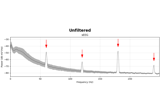
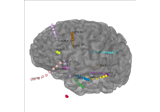
Note
Go to the end to download the full example code.
Load IEEG Data Example
This example demonstrates the discrepancy between the provided examples and the actual data loading process.
- The provided examples:
Use
raw_from_layoutfunction to load ECoG data.Use
mne.io.read_rawfunction to load SEEG data.Use
get_dataandraw_from_layoutfunctions to load ECoG or SEEG data
Note
Only example 3 is representative of the actual data loading process for CoganLab data. The other two examples are provided for comparison purposes, as well as because CoganLab data cannot be loaded in these docs. Going forward, we will be using examples 1 and 2 to demonstrate the data loading process, while you should use example 3 to load CoganLab data.
# sphinx_gallery_failing_thumbnail = False
Example 1 (BrainVision)
ECoG data in BIDS file structure saved in the BrainVision Core Data Format
import mne
from ieeg.io import raw_from_layout
from bids import BIDSLayout
bids_root = mne.datasets.epilepsy_ecog.data_path()
layout = BIDSLayout(bids_root)
raw1 = raw_from_layout(layout,
                       subject="pt1",
                       preload=True,
                       extension=".vhdr")
raw1.plot()

Using default location ~/mne_data for epilepsy_ecog...

  0%|                                              | 0.00/88.2M [00:00<?, ?B/s]
  1%|▏                                     | 501k/88.2M [00:00<00:24, 3.61MB/s]
  2%|▋                                    | 1.72M/88.2M [00:00<00:11, 7.35MB/s]
  6%|██▏                                  | 5.19M/88.2M [00:00<00:04, 18.3MB/s]
 10%|███▋                                 | 8.86M/88.2M [00:00<00:03, 24.8MB/s]
 13%|████▊                                | 11.5M/88.2M [00:00<00:03, 24.7MB/s]
 16%|█████▉                               | 14.0M/88.2M [00:00<00:03, 21.7MB/s]
 19%|██████▊                              | 16.3M/88.2M [00:00<00:03, 20.3MB/s]
 21%|███████▋                             | 18.4M/88.2M [00:00<00:03, 19.4MB/s]
 24%|████████▊                            | 20.9M/88.2M [00:01<00:03, 20.7MB/s]
 27%|█████████▊                           | 23.5M/88.2M [00:01<00:02, 22.0MB/s]
 29%|██████████▊                          | 25.7M/88.2M [00:01<00:02, 22.1MB/s]
 32%|███████████▋                         | 28.0M/88.2M [00:01<00:02, 20.6MB/s]
 34%|████████████▌                        | 30.1M/88.2M [00:01<00:03, 16.8MB/s]
 36%|█████████████▍                       | 31.9M/88.2M [00:01<00:03, 16.7MB/s]
 38%|██████████████                       | 33.7M/88.2M [00:01<00:03, 16.8MB/s]
 40%|██████████████▊                      | 35.4M/88.2M [00:01<00:03, 15.9MB/s]
 42%|███████████████▌                     | 37.0M/88.2M [00:02<00:03, 13.7MB/s]
 44%|████████████████▏                    | 38.5M/88.2M [00:02<00:03, 13.5MB/s]
 46%|████████████████▉                    | 40.2M/88.2M [00:02<00:03, 14.0MB/s]
 47%|█████████████████▌                   | 41.7M/88.2M [00:02<00:03, 14.2MB/s]
 50%|██████████████████▍                  | 43.9M/88.2M [00:02<00:02, 16.1MB/s]
 53%|███████████████████▍                 | 46.3M/88.2M [00:02<00:02, 18.3MB/s]
 56%|████████████████████▌                | 49.1M/88.2M [00:02<00:01, 21.1MB/s]
 59%|█████████████████████▉               | 52.2M/88.2M [00:02<00:01, 24.0MB/s]
 63%|███████████████████████▏             | 55.1M/88.2M [00:02<00:01, 25.2MB/s]
 65%|████████████████████████▏            | 57.7M/88.2M [00:03<00:01, 24.8MB/s]
 68%|█████████████████████████▎           | 60.4M/88.2M [00:03<00:01, 25.3MB/s]
 73%|██████████████████████████▉          | 64.2M/88.2M [00:03<00:00, 29.2MB/s]
 77%|████████████████████████████▍        | 67.7M/88.2M [00:03<00:00, 30.4MB/s]
 80%|█████████████████████████████▊       | 70.9M/88.2M [00:03<00:00, 31.1MB/s]
 84%|███████████████████████████████      | 74.1M/88.2M [00:03<00:00, 21.2MB/s]
 87%|████████████████████████████████▏    | 76.6M/88.2M [00:03<00:00, 17.9MB/s]
 89%|█████████████████████████████████    | 78.8M/88.2M [00:04<00:00, 17.8MB/s]
 92%|█████████████████████████████████▉   | 80.8M/88.2M [00:04<00:00, 18.3MB/s]
 95%|███████████████████████████████████  | 83.6M/88.2M [00:04<00:00, 20.4MB/s]
 97%|████████████████████████████████████ | 85.8M/88.2M [00:04<00:00, 17.9MB/s]
100%|████████████████████████████████████▉| 88.1M/88.2M [00:04<00:00, 18.7MB/s]
  0%|                                              | 0.00/88.2M [00:00<?, ?B/s]
100%|██████████████████████████████████████| 88.2M/88.2M [00:00<00:00, 512GB/s]
Download complete in 07s (84.1 MB)
Extracting parameters from /home/docs/mne_data/MNE-epilepsy-ecog-data/sub-pt1/ses-presurgery/ieeg/sub-pt1_ses-presurgery_task-ictal_ieeg.vhdr...
Setting channel info structure...
Reading events from /home/docs/mne_data/MNE-epilepsy-ecog-data/sub-pt1/ses-presurgery/ieeg/sub-pt1_ses-presurgery_task-ictal_events.tsv.
Reading channel info from /home/docs/mne_data/MNE-epilepsy-ecog-data/sub-pt1/ses-presurgery/ieeg/sub-pt1_ses-presurgery_task-ictal_channels.tsv.
Reading electrode coords from /home/docs/mne_data/MNE-epilepsy-ecog-data/sub-pt1/ses-presurgery/ieeg/sub-pt1_ses-presurgery_space-fsaverage_electrodes.tsv.
/home/docs/checkouts/readthedocs.org/user_builds/ieeg-pipelines/checkouts/latest/ieeg/io.py:283: RuntimeWarning: DigMontage is only a subset of info. There are 3 channel positions not present in the DigMontage. The channels missing from the montage are:

['RQ1', 'RQ2', 'N/A'].

Consider using inst.rename_channels to match the montage nomenclature, or inst.set_channel_types if these are not EEG channels, or use the on_missing parameter if the channel positions are allowed to be unknown in your analyses.
  whole_raw = read_raw_bids(bids_path=BIDS_path, verbose=verbose)
/home/docs/checkouts/readthedocs.org/user_builds/ieeg-pipelines/checkouts/latest/ieeg/io.py:283: RuntimeWarning: Unable to map the following column(s) to to MNE:
outcome: S
engel_score: 1.0
ilae_score: 2.0
date_follow_up: n/a
ethnicity: 0.0
years_follow_up: 3.0
site: NIH
clinical_complexity: 1.0
  whole_raw = read_raw_bids(bids_path=BIDS_path, verbose=verbose)
Reading 0 ... 269079  =      0.000 ...   269.079 secs...
Using qt as 2D backend.

<mne_qt_browser._pg_figure.MNEQtBrowser object at 0x74b0bb2cfe30>
Example 2 (FIF)
SEEG data saved in the FIF file format
import mne
misc_path = mne.datasets.misc.data_path()
raw2 = mne.io.read_raw(misc_path / 'seeg' / 'sample_seeg_ieeg.fif')
raw2
Opening raw data file /home/docs/mne_data/MNE-misc-data/seeg/sample_seeg_ieeg.fif...
    Range : 1310640 ... 1370605 =   1311.411 ...  1371.411 secs
Ready.
Example 3 (EDF)
ECoG / SEEG data in BIDS file structure saved in the European data format
import os
from ieeg.io import get_data, raw_from_layout

HOME = os.path.expanduser("~")
LAB_root = os.path.join(HOME, "Box", "CoganLab")
layout = get_data("SentenceRep", root=LAB_root)
subjects = layout.get(return_type="id", target="subject")

for subject in subjects:
    raw = raw_from_layout(layout, subject=subject, preload=True,
                          extension='.edf')
    # do stuff with each subject data

print(subjects)
Traceback (most recent call last):
  File "/home/docs/checkouts/readthedocs.org/user_builds/ieeg-pipelines/checkouts/latest/examples/plot_data.py", line 59, in <module>
    layout = get_data("SentenceRep", root=LAB_root)
             ^^^^^^^^^^^^^^^^^^^^^^^^^^^^^^^^^^^^^^
  File "/home/docs/checkouts/readthedocs.org/user_builds/ieeg-pipelines/checkouts/latest/ieeg/io.py", line 359, in get_data
    scan = scandir(root)
           ^^^^^^^^^^^^^
FileNotFoundError: [Errno 2] No such file or directory: '/home/docs/Box/CoganLab'
Examples 1 and 2 above do not reflect the data loading process for CoganLab data.
To load the IEEG data, the following steps are taken:
Set the home directory and the root folder containing the BIDS formatted data.
Use the
get_datafunction to obtain a BIDSLayout object with the specified root folder and task name.Get the list of subjects from the BIDSLayout object.
Iterate over each subject and perform the desired operations on the subject data.
Note
The actual code provided above is not executable as it contains placeholders and references to specific file paths on the user’s computer.
Total running time of the script: (0 minutes 10.478 seconds)
Estimated memory usage: 1469 MB
Related examples